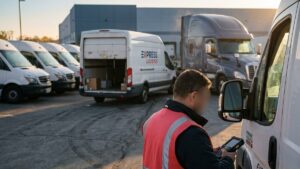

Losing a single power tool on a jobsite is frustrating. Losing them across every crew, every week, cuts straight into your margins. Small tools move constantly between the shop, the trucks, and active sites. That churn costs far more than the price of a replacement drill.
Tool and equipment theft drains the construction industry. The National Insurance Crime Bureau puts the cost at $300 million to $1 billion a year, and small, high-value items are the easiest to grab. Add the hours crews waste hunting for misplaced tools, and the real bill climbs higher.
A spreadsheet won’t fix this. You need a system that delivers accountability and visibility. Many contractors buy the wrong one. The market splits between tools that track custody and tools that track location. Knowing the difference is the first step to a system that actually works for your crews.
Tool Custody vs. Location Tracking: Solving the Two Core Jobsite Challenges
When you shop for a small tool tracking system, separate two goals: accountability and physical location. Most systems do one well and the other poorly. Buy the wrong type and you keep losing tools.
Custody tracking answers one question: “Who has the tool?” Crew members scan a barcode or QR code with a phone app to check tools in and out. That builds a digital paper trail and makes each person accountable for their assigned gear. It works well inside a controlled tool crib. But if a tool goes missing without a scan, custody tracking can’t tell you where it went.
Location tracking answers a different question: “Where is the tool?” Active tags broadcast their position. Technologies like Bluetooth Low Energy (BLE) and GPS put real-time or last-seen locations on a map you check from a phone or computer. That’s how you find a tool left on a sprawling site, loaded in the wrong truck, or carried off entirely. What it won’t tell you is who was supposed to have it. Our guide to BLE vs. GPS tracking breaks down the technical differences.
Most contractors need both: a process for accountability and technology for real-time visibility.
What to Look for in a Construction Tool Tracking System
Weigh these factors against real jobsite conditions before you buy:
- Tag Durability & Mounting: Tools get dropped, shaken, and soaked in dust and water. The tag has to survive all of it. Check how it mounts too: adhesive, epoxy, screws, or a zip-tie holder. A tag that falls off tracks nothing.
- Battery Life: Swapping batteries on hundreds of tags eats real hours. Look for multi-year life, and find out whether the battery is replaceable or the whole tag is disposable.
- Gateway & Network Reliance: Does the system need fixed gateways in your yard and on site? Or does it depend on other users’ phones passing nearby? Gateway-free systems move with your crews from job to job.
- Per-Tool Cost vs. Tool Value: Add up the tag cost plus monthly software fees, then compare it to the tool’s value and what a loss really costs you in replacement, downtime, and rentals. Tagging a $50 hammer rarely pays off. Tagging a $500 rotary hammer almost always does.
- Crew Adoption: The best system is the one your crew actually uses. Clunky apps and tedious scanning get ignored. Pick simple interfaces and passive tracking that asks little of the people in the field.
| System | Approach | Tracking Tech | Live Location | Best-fit Crew Size | Starting Price |
|---|---|---|---|---|---|
| GPX AssetTag | Location | BLE | Yes (Gateway-free) | All | As low as $45/yr per device |
| Hilti ON!Track | Both | BLE, GPS | Yes (with gateways) | Medium-Large | Quote Only |
| DEWALT Tool Connect | Location | BLE | Last Seen | All | ~$10/tag |
| Milwaukee ONE-KEY | Both | BLE | Last Seen (Crowdsourced) | All | Free App |
| ShareMyToolbox | Custody | QR Codes | No | Small-Medium | Free tier |
| ToolHound | Custody | Barcode, RFID | No | Large | Quote Only |
| Trackunit | Location | BLE, GPS | Yes | All | Quote Only |
| Apple AirTag | Location | Bluetooth (Find My) | Last Seen (Crowdsourced) | Individuals | $29/tag |
1. GPX AssetTag
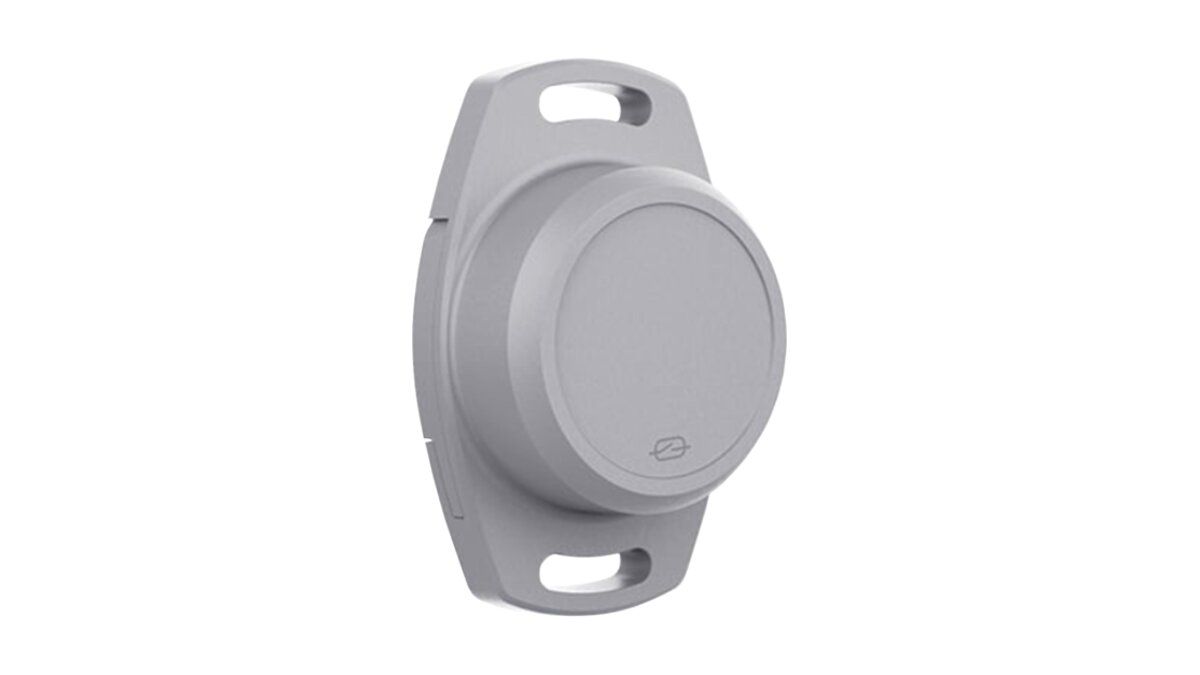
GPX solves the location problem and nothing else. It gives you real-time visibility on small tools and equipment with no gateways and no manual scanning. The GPX AssetTag is a compact, tough Bluetooth Low Energy (BLE) device built for rough conditions. It talks to other GPX devices on your vehicles and equipment, or to a phone app, forming a wide-area mesh that reports tool locations from any jobsite, yard, or truck back to one platform.
- Location: USA
- Best for: Contractors of any size who need reliable, real-time location on valuable tools and small equipment across multiple, changing sites.
- Pricing: Subscription from ~$3.50/mo per device, with volume-based pricing on hardware.
- Connectivity: BLE tags report over a cellular network through nearby vehicle trackers or a mobile app.
- Standout features: Gateway-free operation for real jobsite flexibility; 4-year replaceable battery; IP67 durability; full location history and geofence alerts.
Upsides
- Delivers true real-time location, not just last-seen proximity.
- Skips manual scanning, so the data stays accurate.
- No expensive gateway hardware to install or maintain at every site.
- The long-life, replaceable battery cuts maintenance and long-term cost.
- Feeds into a wider asset tracking platform that handles everything from small tools to heavy equipment and vehicle fleets.
2. Hilti ON!Track
Hilti ON!Track is a full asset management platform built for construction. It pairs software with hardware (BLE tags and gateways) to track location plus maintenance schedules, certifications, and user assignments. It runs on Hilti’s own hardware but manages tools and equipment from any manufacturer, so it works as a central hub for a mixed fleet.
- Location: Schaan, Liechtenstein
- Best for: Larger construction firms, especially Hilti-heavy ones, that need serious inventory management across a mixed fleet.
- Connectivity: BLE tags for tools; GPS trackers for larger vehicles and equipment. BLE location updates depend on gateways or app scans.
- Standout features: Automated inventory management; tracks usage, maintenance, and certifications; connects to construction software like Trimble Viewpoint for job costing.
Upsides
- Puts tools, equipment, and consumables in one record.
- Strong on compliance, tracking required calibrations and inspections.
- Solid support and integration, especially for Hilti-centric fleets.
- Tags let it manage non-Hilti tools too.
Trade-offs
- Upfront implementation cost runs high.
- Pricing isn’t public; you need a custom quote.
- BLE tracking leans on gateway proximity or manual scans, so real-time visibility drops on sites without coverage.
- Users report the mobile app needs usability work.
3. DEWALT Tool Connect
DEWALT Tool Connect is DEWALT’s move into smart tools, mixing connected tools with add-on tags. Bluetooth links each tool to a mobile app for last-seen location, inventory management, and security features. Attach a Tool Connect Tag to any asset, any brand, and it joins the system.
- Location: Towson, Maryland, USA
- Best for: Contractors already standardized on DEWALT tools, or anyone who wants an integrated option from a major tool maker.
- Pricing: A 25-pack of Tool Connect Tags runs about $247.
- Connectivity: Bluetooth tags that talk to the Tool Connect app.
- Standout features: Last-seen location shows the address where an asset was last in range; remote tool disablement for security; IP68 tags.
Upsides
- Works directly with compatible DEWALT tools.
- Remote lockout is a strong theft deterrent.
- Durable, jobsite-ready tags built for tough conditions.
- Tracks non-DEWALT assets through tags.
Trade-offs
- Location is Bluetooth-based and passive; it updates only when a device running the app is in range.
- Weak for theft recovery once a tool leaves areas with Tool Connect users nearby.
- Some users report connection problems between tags and the app.
4. Milwaukee ONE-KEY
Like DEWALT’s system, Milwaukee ONE-KEY is an inventory and tracking platform built around Milwaukee’s smart tools. It’s free to use and covers tool management, performance customization, usage reporting, and remote lockout. For standard tools, Milwaukee sells Bluetooth tags called TICKs. Its standout trait is a large crowdsourced network that updates a tool’s location whenever any ONE-KEY user walks past.
- Location: Brookfield, Wisconsin, USA
- Best for: Contractors deep in Milwaukee tools who want tool intelligence plus basic tracking.
- Pricing: App and cloud platform are free; hardware tags cost extra.
- Connectivity: Bluetooth built into 120-plus tools, plus add-on TICK tags.
- Standout features: Deep tool customization (RPM, torque); detailed inventory management; remote lockout; crowdsourced location network.
Upsides
- No subscription fees for the software.
- Great for tuning and monitoring compatible Milwaukee tools.
- The large crowdsourced network improves your odds of finding a lost or stolen tool in busy areas.
- TICK tags extend it to any brand.
Trade-offs
- It’s not real-time GPS; it depends entirely on another ONE-KEY user being nearby.
- Last-seen data falls short when a stolen tool moves out of network range fast.
- Bluetooth range tops out around 100 feet.
5. ShareMyToolbox
ShareMyToolbox is pure custody and accountability. It’s a simple, mobile-first way to track who has what. Instead of active tags, it uses QR code stickers that employees scan with a phone app to check tools in and out. The platform makes field tool transfers easy to log and builds a clear chain of responsibility.
- Location: Charlotte, North Carolina, USA
- Best for: Small to mid-sized contractors who want a simple, low-cost way to hold crews accountable for tools.
- Pricing: Free for up to 25 tools; paid plans start at $10 per app user per month.
- Connectivity: QR codes and a mobile app; no active tracking hardware.
- Standout features: Simple field interface; tracks accountability by employee, vehicle, or job; automated maintenance reminders; fast setup.
Upsides
- Easy to use, which drives high crew adoption.
- Affordable, with a working free tier.
- Great for setting clear responsibility and cutting casual tool loss.
- Replaces messy spreadsheets and paper sign-out sheets.
Trade-offs
- No real-time location; it can’t find a lost tool.
- It only works if employees scan every time. Skip the scan and the record goes stale.
- Limited help for preventing or recovering stolen assets.
6. ToolHound
ToolHound is an inventory control system for organizations with large tool inventories and dedicated tool cribs. It’s a classic custody solution that runs check-in and check-out through barcode or RFID scanning. The software goes deep on tool usage, maintenance and calibration scheduling, and detailed reports for cost allocation and audits.
- Location: Edmonton, Alberta, Canada
- Best for: Larger companies with central tool crib operations that need tight inventory control, accountability, and maintenance tracking.
- Connectivity: Barcode and RFID scanning.
- Standout features: Full tool lifecycle management; tracks maintenance, calibration, and safety inspections; manages consumable inventory; remote oversight of multiple sites.
Upsides
- Strong on strict accountability and cutting internal loss.
- Keeps safety and compliance on track by automating maintenance and inspection schedules.
- Boosts productivity by keeping tools available and in working order.
- Gives you data to right-size inventory and skip duplicate purchases.
Trade-offs
- Pricing isn’t public and needs a custom quote.
- It’s complex and often overkill for smaller contractors without a tool crib.
- Like any custody system, it can’t physically locate a lost or stolen asset.
7. Trackunit
Trackunit is a major name in equipment telematics, built mainly for heavy and compact machinery. Its platform now reaches smaller assets through BLE tags, so contractors can manage the whole fleet, from excavators down to power tools, in one place. It pairs GPS on powered assets with BLE on non-powered tools and attachments for a unified view of everything on site.
- Location: Aalborg, Denmark
- Best for: Construction companies of any size managing a mixed fleet of heavy machinery, equipment, and smaller tools on one platform.
- Connectivity: GPS, cellular, and Bluetooth. Supports its own and third-party BLE tags.
- Standout features: Real-time monitoring and alerts across asset types; maintenance management and scheduling; customizable reports; one platform for mixed fleets.
Upsides
- Handles a wide range of assets in one solution.
- Focuses on fleet performance and reducing downtime.
- Supports third-party Bluetooth tags for flexibility.
- Strong data on powered equipment.
Trade-offs
- Pricing is quote-based, not public.
- Its core strength is heavy-equipment tracking; small tool tracking is an add-on, not the focus.
- Often more complex and costly than a contractor who only tracks small tools needs.
8. Apple AirTag
The Apple AirTag isn’t a commercial product, but small contractors weigh it for its low price and simplicity. It uses Bluetooth to report its location to any nearby Apple device on the “Find My” network, which relays that position back to you anonymously. It’s a consumer-grade finder, yet for some it’s a cheap way to start tracking.
- Location: Cupertino, California, USA
- Best for: Individuals or very small contractors on a tight budget who need a basic way to find a misplaced tool and understand the limits.
- Pricing: $29 for one AirTag or $99 for a four-pack.
- Connectivity: Bluetooth over Apple’s “Find My” crowdsourced network.
- Standout features: Very low cost; simple setup; compact; taps a huge location network.
Upsides
- Cheap and easy to find in stores.
- No subscription fees for basic tracking.
- Works well for locating items in busy areas full of iPhones.
Trade-offs
- Not built for harsh construction sites; durability is thin.
- Location updates are passive and lag badly in remote areas or after a theft.
- The battery isn’t rechargeable and lasts about a year.
- No business features: no inventory management, user permissions, geofencing, or reporting.
- A consumer network raises security and privacy questions for commercial assets.
Key Challenges of Small Tool Tracking
A tool tracking system takes more than buying tags. Contractors run into a few practical hurdles that can sink the whole effort.
- Cost Justification: A tag plus software can look pricey against a $200 drill. Add up the full cost of a loss instead: replacement, project delays, wasted labor, and rentals. Stopping the loss of a few key tools often covers the whole system.
- Tag Durability and Adhesion: Tools take constant vibration, impacts, and solvents. Weak adhesive lets tags fall off fast. Mount them with industrial epoxy or a screwed-in bracket for lasting results.
- Crew Adoption and Discipline: Custody systems live or die on crews scanning every time. Location systems depend on crews leaving tags alone. Keep it as passive as possible, and tell the crew plainly why it helps them: less time hunting for tools.
- Signal Interference: Metal blocks BLE and GPS signals. A tag inside a metal toolbox or flat on a big steel surface struggles to communicate. Placement matters.
- Software Integration: A tracker that won’t talk to your project management or accounting software just builds a second data silo. Confirm it connects to the systems your office already runs, whether that’s Procore, QuickBooks, or an ERP, before you commit.
- Scaling and Battery Logistics: A pilot on one crew is easy. Rolling out thousands of tags across a company means managing hardware, data, and battery swaps at volume. Favor multi-year, replaceable batteries so a company-wide replacement never becomes a recurring project.
- Data Security and Privacy: A system that logs asset location and usage holds data worth protecting. Vet the vendor’s security practices, and be upfront with crews about what the system tracks and why, so location data never reads as surveillance.
- Distinguishing Loss from Theft: A tool misplaced on a big site is a different problem from one that’s stolen. A good system covers both: it locates misplaced items fast before they turn into losses, and it uses alerts and location history to help recover the ones that are truly gone. That’s where active GPS trackers for equipment theft earn their keep.
How to Choose the Right Small Tool Tracking System
The right choice comes down to naming your real problem and being honest about what your crews will stick with. There’s no single best system, only the best fit for your operation.
Start by deciding whether your main issue is accountability or location. If tools walk off with employees and you run a controlled tool crib, a custody system like ShareMyToolbox or ToolHound is a strong start. If tools get left on sprawling sites or lost between trucks, you need a location system like GPX AssetTag.
Then build a simple scorecard. Rate your top two or three options on what matters most: cost per tool, tag durability, ease of use, and location quality (real-time vs. last seen). Pilot a small batch on one crew before a company-wide rollout. That real-world test tells you more than any sales demo and makes sure your money buys a real return.
Want to see exactly where your tools are right now? GPX gives contractors the real-time location data that stops the wasted time and money. Explore our solutions for equipment and tool tracking.
Frequently Asked Questions
What’s the difference between tool tracking and tool inventory management?
Tool inventory management, or custody tracking, is about accountability: who has which tool, when they took it, and when it’s due for maintenance. Tool tracking, or location tracking, is about visibility: where the tool sits on a map right now, using BLE or GPS.
Can I use Apple AirTags to track my company’s tools?
You can, but it’s a poor fit for professional use. AirTags aren’t durable enough for construction sites, offer no business software features like reporting or user permissions, and update unreliably in remote areas. They’re a cheap option for individuals but fall short for commercial work.
How much do small tool tracking systems cost?
It varies. QR-code custody systems can be free or a small monthly fee per user. Location systems add a hardware cost per tag (from $10 to $50 and up) and often a monthly software fee per device (from $1 to $5 and up), depending on the technology and features.
How do Bluetooth tool trackers work without GPS?
Bluetooth (BLE) trackers have a short range, roughly 100 to 300 feet. They report location two ways: through fixed gateways installed in a yard or facility, or through a nearby smartphone or vehicle tracker running the maker’s app. Gateway-free tags like the GPX AssetTag skip the fixed hardware and report through nearby GPX devices, so a tool’s location travels back to one platform without any manual scanning.
What is the best way to get crews to use a tool tracking system?
Pick the system that asks the least of them. Passive tracking that updates location on its own beats constant manual scanning. Then frame it as their win: it helps them find tools faster, cuts frustration, and keeps them from taking blame for tools someone else lost.
Author: Mitch Belsley