

Most teams do not lose inventory because their software is bad. They lose it because the number on the screen and the asset on the floor stopped agreeing with each other. A pallet moves to a different yard. A tool walks off a job site. A return sits in a back room for three weeks before anyone scans it. The software still shows it as available, and someone promises it to a customer who will never receive it on time.
The right inventory management system gives every product, part, and asset one accurate count that updates the moment something moves. The strongest 2026 stack goes one step further: it pairs top-tier cloud software with IoT-driven GPS and BLE hardware so the digital record matches the physical world in real time. This guide breaks down the seven best inventory management software platforms for 2026, what each one does well, what it costs, and how to match it to the way your business actually runs. At the end, we cover the layer most buyers overlook: physical visibility, and how real-time location tracking keeps your records honest after the data leaves the warehouse.
What Is Cloud-Based Inventory Management Software in 2026? Trends, AI, and Automation
Inventory management software tracks what you own, where it sits, and how it moves across locations, channels, and suppliers. It replaces spreadsheets and disconnected point solutions with a single source of truth that updates in real time. When an order ships, a part gets consumed in production, or stock transfers between sites, the system records it once and reflects it everywhere.
In 2026, three forces make this category more important than it has ever been. Demand swings faster, with flash sales and channel spikes that punish anyone working off delayed counts. Supply chains span more partners, including third-party logistics providers, contract manufacturers, and field crews who never touch a central warehouse. And customer expectations have hardened: people want accurate availability, fast fulfillment, and proof of where their order stands.
The cost of getting it wrong is concrete:
- Stockouts that cancel revenue. A product shows available, sells, and then cannot ship because it was already committed elsewhere.
- Overstock that ties up cash. Capital sits frozen in goods nobody ordered while reorder points fire on bad data.
- Shrinkage and loss. Assets disappear from the floor long before anyone notices a gap in the count.
- Wasted labor. Staff spend hours reconciling counts by hand instead of moving product.
Good software fixes the record-keeping. The strongest operations pair it with physical tracking so the record and the reality never drift apart.
Why Ghost Inventory Quietly Drains Your Margin
Most inventory problems share one root: the data and the physical asset stop agreeing. Here are the four that cost the most, in the exact terms operations teams use, with the fix for each.
- Ghost inventory (the discrepancy gap). The system says you have 50 units and the shelf holds 40. Every promise you make on those 10 phantom units turns into a backorder or a cancellation. The fix is continuous BLE synchronization that updates counts as assets move, not at the next manual audit.
- Labor hours burned on cycle counts. Staff spend full shifts scanning and reconciling instead of moving product. The fix is IoT gateways that read BLE tags automatically as tagged assets enter or leave a zone, so the count updates without a person walking the floor.
- The in-transit blind spot. High-value assets vanish in the space between the 3PL, the receiving dock, and the final job site, where no scanner reaches. The fix is GPS tracking that follows assets outside the four walls and flags movement in real time.
- Capital frozen in safety stock. Teams over-order to cover for data they cannot trust, and cash sits idle on the shelf. The fix is AI demand forecasting paired with ground-truth location data, so reorder points run on reality.
Shrinkage carries a number, and putting it on paper builds the case for action. A simple way to size it: total shrinkage cost = (cost per unit × units lost) + labor hours spent searching. Lose 200 units at $45 each and burn 60 hours of staff time at $25 an hour, and the gap costs $9,000 in product plus $1,500 in labor, $10,500 in a single cycle. Most of that traces back to assets the system could not see.
Must-Have Features: AI Demand Forecasting, Multichannel Sync, and IoT Integrations
Every vendor claims to do everything. These are the features that separate a system that scales from one you will replace in eighteen months.
- Real-time, multi-location visibility. One live number per SKU across every warehouse, store, vehicle, and 3PL. This single source of truth is the foundation everything else stands on.
- Automated reordering and demand forecasting. The system watches sales velocity and seasonality, then triggers purchase orders before you run dry.
- Barcode, QR, and RFID scanning. Mobile scanning at receiving, picking, and transfer points removes the manual entry that breeds errors, and it makes cycle counting fast enough to run often.
- Lot, serial, and batch traceability. Track items down to the unit so you can manage expiration, recalls, and compliance, which matters for food, medical, and other regulated goods.
- Channel and accounting integrations. Native connections to your POS, ecommerce platforms, ERP, and accounting tools like QuickBooks or Xero.
- Manufacturing support. Bills of materials, work orders, and assembly tracking for businesses that build rather than resell.
- Reporting and analytics. Dashboards that turn raw counts into decisions on purchasing, pricing, and dead stock.
- Scalability and total cost of ownership. Pricing and architecture that fit you now and still fit you at three times the volume.
Hold each platform below against this list. The best fit is the one that covers your real workflow without forcing you to pay for an enterprise feature set you will never use.
Top 7 Inventory Management Software Platforms for 2026 (Ranked and Reviewed)
We evaluated the leading platforms on core inventory controls, integrations, forecasting, manufacturing depth, scalability, and value for the money. Here are the seven that earn their place across retail, ecommerce, manufacturing, and asset-heavy field operations.
1. NetSuite Inventory Management: Best for Enterprise and High-Growth Operations
NetSuite sits at the top for depth and reach. It is a full ERP with inventory at its core, which means inventory, finance, order management, and warehouse operations all live in one system. Native demand planning models seasonality and sales forecasts, the warehouse module supports mobile RF barcode scanning, and a developer platform lets large teams extend the system to their exact process.
This power comes with weight. Implementation runs longer than the SMB tools below, and pricing is quote-based, which puts it out of reach for small operations. For companies scaling past the point where bolt-on tools break, NetSuite is the system that grows with them.
Best for: Mid-market and enterprise companies that want inventory inside a single ERP and have the budget and timeline to implement it.
2. Cin7: Best for Multichannel and Omnichannel Retail
Cin7 is built for brands selling across many channels at once. It synchronizes stock across physical stores, online marketplaces, and suppliers so availability stays accurate everywhere a customer can buy. It bundles POS, warehouse automation, B2B ordering portals, batch tracking, and demand planning into one ecosystem.
The breadth is the draw and the catch. Teams running Shopify Plus, Amazon, retail, and wholesale at the same time get a single command center. Smaller sellers will pay for capability they do not need yet. Pricing starts at $349 per month.
Best for: Multichannel and omnichannel retailers who need one accurate stock number across every storefront and marketplace.
3. Fishbowl: Best for Manufacturing and QuickBooks Users
Fishbowl earns its loyal manufacturing base through strong support for bills of materials, work orders, raw materials tracking, and job costing. Its deepest advantage is a tight QuickBooks Desktop integration, which makes it the natural choice for manufacturers who run their books in QuickBooks and want inventory to match the ledger automatically. It also handles intelligent routing, asset management, and parts tracking.
The interface feels dated next to newer cloud tools, and the learning curve is steeper, so budget for setup time. For production shops that value accounting alignment over polish, that trade lands in Fishbowl’s favor. Pricing starts near $329 per month, with license and maintenance structures depending on deployment.
Best for: Manufacturers and product builders anchored to QuickBooks who need real BOM and work-order support.
4. Zoho Inventory: Best for Small Businesses and the Zoho Ecosystem
Zoho Inventory delivers clean, cloud-based inventory and order management at a price small businesses can absorb. It connects to Amazon, eBay, and Shopify for efficient multichannel order management, sets reorder levels with low-stock alerts, and generates invoices, bills, and shipping labels from one screen. A free plan lets very small operations start at no cost.
The honest limit shows up as you scale: advanced features like serial-number tracking and deeper automation sit behind higher tiers, and complex bundles strain the system. For businesses already living inside Zoho’s apps, the fit is hard to beat. Paid plans start near $39 per month.
Best for: Small businesses, single-channel and light multichannel sellers, and existing Zoho customers who want everything in one suite.
5. Katana: Best for Makers and Light Manufacturing
Katana brings manufacturing resource planning to brands that build their own products. It handles multi-level production, raw material tracking, and live inventory while syncing across Shopify, Amazon, and wholesale channels. The interface is modern and visual, which makes it approachable for founders and small teams who outgrew spreadsheets but find full ERP overwhelming.
Katana shines for makers selling direct and through retail at the same time. Very large or highly complex manufacturers will eventually need heavier machinery. Pricing starts at $99 per month.
Best for: Direct-to-consumer makers and light manufacturers who sell across ecommerce and wholesale.
6. inFlow Inventory: Best for Growing SMBs That Need Room to Scale
inFlow hits the sweet spot between tools that are too simple and platforms that are too heavy. It handles purchase orders, sales orders, barcode scanning, and multi-location tracking with per-location reorder points, and it does so without requiring a logistics degree to configure. A B2B showroom portal lets wholesale customers browse and order directly, which cuts the phone-and-email back-and-forth.
Manufacturing support stays at basic assemblies, so shops needing multi-level BOMs will look elsewhere, and there is no free tier. For a business that needs real inventory management without a $500-per-month commitment, inFlow makes clear sense. Pricing starts near $110 per month.
Best for: Growing small and mid-sized businesses that have outgrown entry tools but are not ready for enterprise systems.
7. Sortly: Best for Visual, Mobile-First Asset and Inventory Tracking
Sortly takes a visual, mobile-first approach that sets it apart from the spreadsheet-style tools. Teams build a photo-rich inventory with custom fields, QR and barcode labels, and folders that mirror how items sit in the real world. Field crews, equipment-heavy operations, and businesses tracking tools, parts, and assets across job sites get a system that works from a phone in the first day, with no developer required.
Sortly trades deep manufacturing and channel-sync features for speed and simplicity. A free plan covers the smallest operations, and paid plans start near $49 per month. For asset and equipment tracking outside a fixed warehouse, it is one of the fastest tools to deploy.
Best for: Field service, construction, healthcare, and equipment-heavy teams that track assets across locations from a mobile device.
Inventory Management Software Comparison Table: Pricing and Features at a Glance
Use this side-by-side view to shortlist quickly. Pricing reflects published starting rates for 2026 and shifts with plan tier, user count, and contract length. The final row shows the physical-tracking layer that complements every system above.
| Software | Best For | Starting Price | Standout Strength | Free Plan |
|---|---|---|---|---|
| NetSuite | Enterprise and high-growth | Custom quote | Full ERP with native demand planning and WMS | No |
| Cin7 | Multichannel and omnichannel retail | From $349/mo | Stock sync across stores, marketplaces, and B2B | No |
| Fishbowl | Manufacturing and QuickBooks users | From $329/mo | BOMs, work orders, deep QuickBooks ties | No |
| Zoho Inventory | Small business and Zoho users | Free; paid from $39/mo | Affordable multichannel order management | Yes |
| Katana | Makers and light manufacturing | From $99/mo | Visual MRP with ecommerce and wholesale sync | No |
| inFlow Inventory | Growing SMBs that need to scale | From $110/mo | Balanced features with a B2B showroom portal | No |
| Sortly | Visual, mobile-first asset tracking | Free; paid from $49/mo | Photo-rich tracking that deploys in a day | Yes |
| GPX Asset Tracking | Real-time physical visibility for any system above | Contact GPX | GPS and BLE location data with a 4-year battery life AssetTag | Demo available |
Niche Solutions: Enterprise ERPs, Open-Source, and MRP Systems Compared
The seven platforms above cover most businesses, and a handful of niche tools earn a look when your use case is specific. Match the tool to the job rather than the longest feature list.
- Ordoro: built for ecommerce and dropshipping sellers who run shipping, returns, and supplier routing alongside inventory.
- Square: a strong fit for retail and food service that want inventory built into a point-of-sale system they already use at the counter.
- monday.com: a flexible work platform for teams that want to shape inventory tracking around custom workflows rather than a fixed inventory schema.
- Odoo: an open-source option with a free tier, suited to startups and developer-friendly teams that want to self-host and customize.
- QT9 MRP: built for regulated manufacturing, with deep lot and serial traceability and quality-management ties for food and medical device producers.
For construction, fleet, healthcare, and field service operations, the deciding factor is rarely the software feature set alone. It is whether the system stays accurate once equipment and stock leave a fixed building, which is where physical tracking comes in.
The Future of Logistics: AI Predictive Analytics and IoT-Enabled Asset Tracking
The category is moving fast, and the platforms that win in 2026 lean on data the old systems never captured. Several shifts now define the leading edge.
- Predictive demand forecasting. Machine learning reads sales history, seasonality, and external signals to forecast demand at the SKU and location level, which tightens reorder timing and shrinks both stockouts and overstock.
- Automated exception flagging. Instead of waiting for a quarterly count, AI watches for counts that drift from expected patterns and surfaces the gap while it is still small.
- Live location intelligence. GPS and Bluetooth Low Energy tags report where assets physically sit and move, feeding the software a continuous stream of ground truth.
- Connected, single-pane visibility. APIs and webhooks tie inventory data to POS, ERP, logistics, and tracking hardware so one event updates every connected system at once.
The throughline is simple. Software has gotten very good at managing the record. The frontier is keeping that record matched to the physical world in real time, which is where location hardware enters the picture.
Inventory Software vs Asset Tracking: Closing the Visibility Gap with GPS and BLE
These two terms get used interchangeably, and they are not the same thing. Inventory management tells you what you own and what your records say you have. Inventory visibility tells you where those items physically are at any given moment. Software handles the first job well. The second job depends on something reporting real location back to the system.
Here is the limit every inventory system shares. The software knows what the last scan said. It does not know where an asset is right now unless something tells it. Between scans, a forklift attachment, a returnable container, a piece of field equipment, or a high-value pallet can move, get borrowed, or vanish, and the system keeps showing it exactly where the last scan left it.
That gap is where physical tracking earns its keep. GPS and BLE asset tags report real location continuously rather than at scan events, which means the digital record and the physical asset stay in agreement without anyone walking the floor. This matters most in the environments where assets leave fixed buildings: construction sites, vehicle fleets, healthcare facilities moving equipment between wings, automotive lots, and any in-transit supply chain stage where goods change hands.
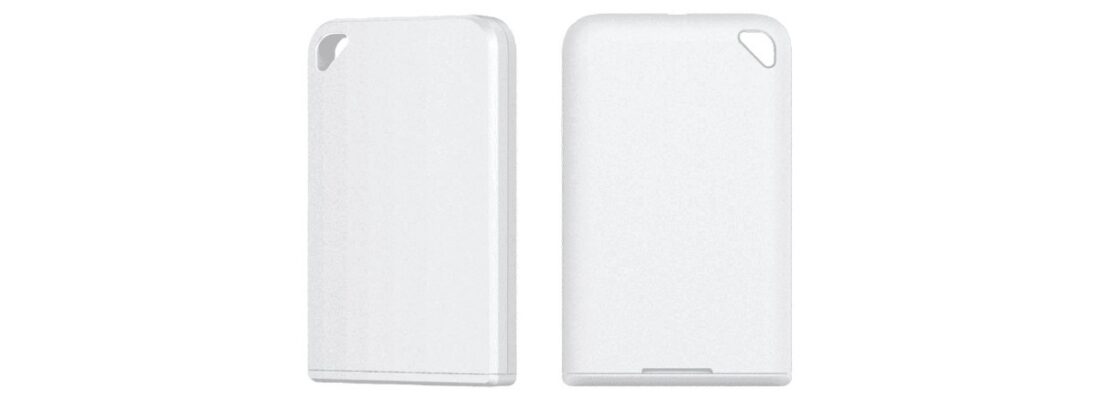
The GPX AssetTag closes this gap on the ground:
- Real-time location. BLE and GPS data show where each tagged asset sits and moves, indoors and outdoors, so your inventory system reflects reality between scans.
- 4-year battery life. The AssetTag runs for years on a replaceable battery, which keeps maintenance low across large fleets of tagged items.
- Loss and shrinkage control. Geofencing and movement alerts flag an asset the moment it leaves where it belongs, long before a count would catch the loss.
- Integration-ready data. Location data feeds the systems you already run, so the software you chose above gains the one input it cannot generate on its own.
Inventory software answers what you own and what the records say. Asset tracking answers where it actually is. Run them together and the question of whether your data is true stops coming up.
How to Choose an Inventory System: Overcoming Stockouts and Supply Chain Challenges
The best inventory management software is the one that matches your inventory type, your sales channels, and your growth curve. Work through these decisions in order and the shortlist narrows fast.
- Start with what you handle. Retail and ecommerce point toward Zoho Inventory, Cin7, or inFlow. Manufacturing and BOMs point toward Fishbowl or Katana. Tools, equipment, and field assets point toward Sortly. Enterprise complexity points toward NetSuite.
- Count your channels. Selling on one storefront is a different problem than syncing Shopify, Amazon, retail, and wholesale at once. Heavy multichannel needs Cin7 or NetSuite. A single channel does not.
- Map your integrations. List the POS, ERP, accounting, and logistics tools you already run, then confirm native support before you commit. QuickBooks shops gravitate to Fishbowl; Zoho shops to Zoho Inventory.
- Match price to stage. Free and low-cost tiers fit early operations. Mid-market needs land near inFlow and Katana. Enterprise scale justifies NetSuite. Do not pay for capability you will not use this year.
- Decide how much physical visibility you need. If your assets stay inside one building and get scanned reliably, software alone covers you. If they move across sites, vehicles, or job locations, plan for GPS and BLE tracking from the start.
Run a short trial on your top two before signing. Load real SKUs, run a real order through it, and watch where the workflow gets stuck. The platform that handles your messiest real-world case, not the cleanest demo, is the right one.
Achieve Real-Time Physical Asset Visibility with GPX GPS and BLE AssetTags
Stop letting your software guess where your assets are. Choosing the right inventory management software gets your records in order, and pairing it with real-time location tracking keeps those records honest after assets leave the building. GPX delivers GPS and BLE asset tracking built for construction, fleet, healthcare, automotive, and in-transit operations, with a rugged AssetTag that runs for a 4-year battery life. Equip your high-value inventory with the GPX AssetTag and request a pilot deployment today.
Frequently Asked Questions (FAQs)
What is the best inventory management software for small businesses?
Zoho Inventory leads for most small businesses thanks to its free plan, low entry price near $39 per month, and multichannel order management across Amazon, eBay, and Shopify. inFlow is the strong next step for small businesses that have started to outgrow entry tools and need multi-location tracking and a B2B portal.
What is the difference between inventory management software and asset tracking?
Inventory management software records what you own, sets reorder points, and syncs counts across channels and locations. Asset tracking uses GPS and BLE tags to report where physical items actually sit and move in real time. Software manages the record; tracking confirms the record matches reality between scans.
Can inventory management software track items in real time without manual scanning?
Standard software cannot, because it relies on manual barcode or RFID scans to update counts. Integrating IoT-enabled BLE beacons and GPS AssetTags such as the GPX system automates real-time tracking, updating the software continuously without human intervention.
What is the best way to integrate GPS asset tracking with an ERP like NetSuite or Fishbowl?
The best approach is API webhooks. GPX Intelligence hardware feeds real-time coordinates and movement alerts directly into your existing ERP or WMS, creating a single pane of glass for both accounting and physical visibility.
How do BLE tags improve cycle count accuracy?
Bluetooth Low Energy tags communicate continuously with IoT gateways installed across your facility, yard, or job site. Instead of a worker manually scanning each item, the gateway updates the inventory system the moment a tagged asset enters or leaves a zone, which removes the human error that throws cycle counts off.
Which inventory management software is best for manufacturing?
Fishbowl and Katana lead for manufacturing. Fishbowl suits production shops anchored to QuickBooks that need bills of materials, work orders, and job costing. Katana suits makers and light manufacturers who want a modern, visual MRP that syncs across ecommerce and wholesale channels.